Find the right room
Browse clubs, lounges, rooftops, and other spots by neighborhood and music.
 TRACKNOTELIVE RADARCOMING SOON ON THEApp Store
Browse venues by area and music, check who’s playing, and save the tracks you hear.
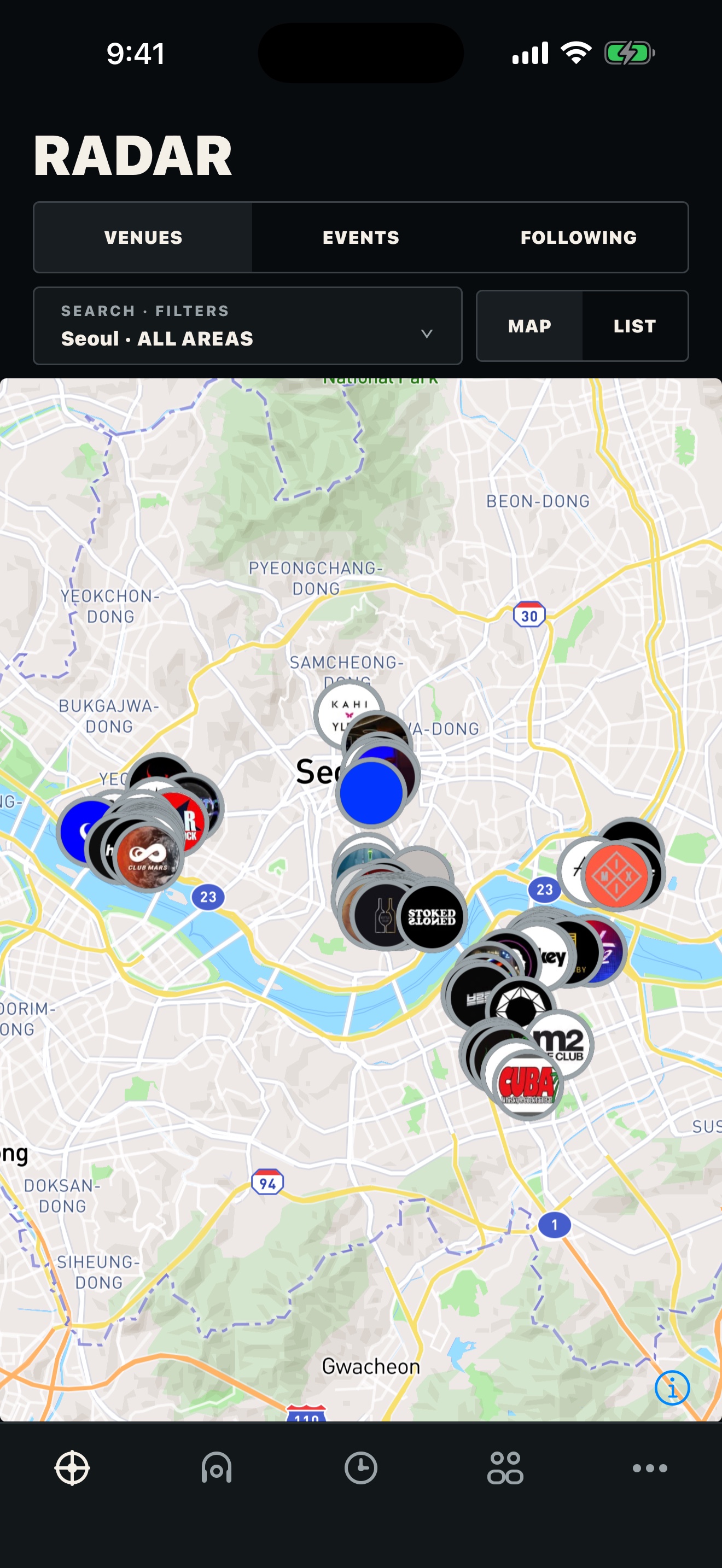
Open Radar when you want to choose where to go. Open Scout when you want to keep a track.
Browse clubs, lounges, rooftops, and other spots by neighborhood and music.
See who is playing before you decide where to go.
Identify a track in the room and save it to your history.
Audio is used for recognition. It is not published.
Location evidence is used to verify a Scout session. It never appears on the public map.
A verified match may appear after a delay. Your account and exact location are not shown.
Browse venues. Check the lineup. Save the track.
COMING SOON ON THEApp Store직접 저장하거나 Apple Music에서 가져온 곡만 모이는 개인 작업 공간입니다. Rating·Tier·Arc·Review 데이터는 여기에서 관리합니다.
Apple Music playlist를 선택하면 곡을 My Collection에 추가하고, Tracknote playlist도 함께 만듭니다.
Tracknote Catalog와 연결된 음악 서비스에서 새로운 곡을 찾고, 필요한 곡만 My Collection에 추가합니다.
Playlist를 선택하면 바로 트랙 순서, 에너지 흐름, 내보내기 옵션을 확인할 수 있습니다.
Apple Music 또는 rekordbox export에서 Playlist를 가져오면 My playlists에 바로 등록됩니다.
.m3u8 또는 .txt를 올리면 곡 순서와 원본 보유 상태를 함께 등록합니다.
모바일: 길게 눌러 드래그하면 순서를 바꾸고, 왼쪽으로 밀면 제거합니다. 제거한 곡은 실행 취소할 수 있어요.
라이브러리 분포와 리뷰 진행 상태를 한눈에 확인합니다.
리뷰 흐름과 라이브러리 표기를 내 작업 방식에 맞춥니다.
Google 또는 이메일로 Tracknote에 로그인하고, 음악 서비스는 별도로 연결합니다. Spotify는 공개 카탈로그와 외부 링크만 제공합니다.
Spotify ISRC를 같은 Apple Music 카탈로그 곡에 정확히 연결합니다. Apple Music 곡 ID는 국가별로 달라 로그인한 계정의 storefront를 사용하며, ISRC가 없는 곡은 안전을 위해 연결하지 않습니다. YouTube는 확정된 곡에 한해 공식·라이선스 영상의 제목, 아티스트, 버전, 길이가 모두 맞을 때 재생 링크로 연결합니다.
아직 Collection 매칭 상태를 확인하지 않았습니다.
Review에서 사용할 고정 무드 태그입니다.
모든 Key 표기에 적용합니다.
저장 뒤 다음 곡으로 이동할지 정합니다.
외부 playlist에서 빠진 BPM·Key·Beatport genre는 정확히 매칭된 Beatport 카탈로그로만 보강합니다. 이어서 AI가 Tier·Arc·Mood 초안을 제안하고 사람이 항목별로 확정합니다.
외부 playlist를 가져오면 빈 메타데이터 보강이 자동으로 시작됩니다.
아직 AI 분류를 실행하지 않았습니다.
장르와 DJ를 고르면 공용 추천 카탈로그를 취향에 맞춰 보여줍니다.
음원 폴더를 선택하면 파일명만 Collection과 대조합니다. 전체 경로와 파일 내용은 업로드하지 않습니다.
Google 로그인 계정에 별도의 Tracknote 비밀번호를 추가할 수 있습니다.